


Frame the photos
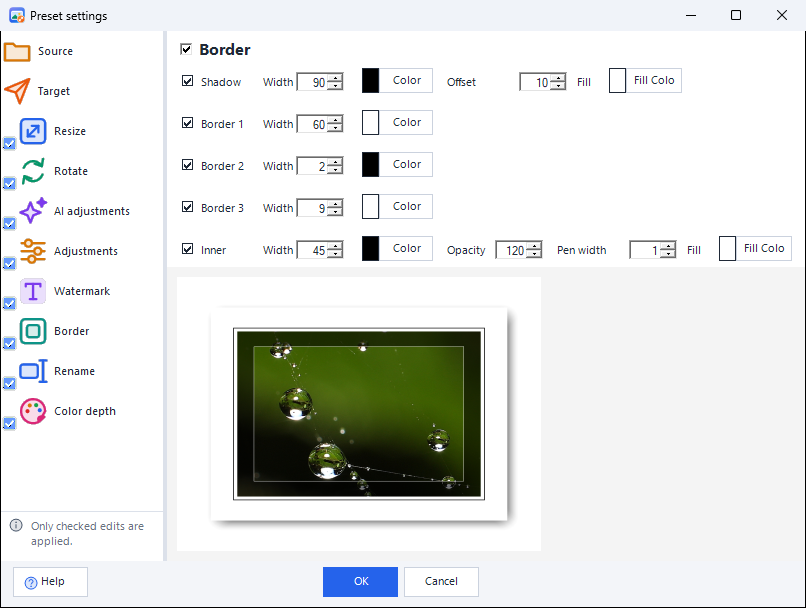
Tick Border and turn on the parts you want. The preview below shows the result immediately.
Parts
- Shadow – width, colour, Offset and the fill colour of the background.
- Border 1, Border 2, Border 3 – frames around the photo (from the outside in), each with its width and colour.
- Inner – a frame drawn over the photo: width, colour, Opacity, Pen width and fill.
Widths are in pixels of the edited photo – set the border after deciding the new size.
Related topics
In the program, the Help button (main window and preset settings) and the F1 key in any window open the page for exactly the window – and the section of the settings – you are working in. Something missing? Write to us.