


New names for the edited photos
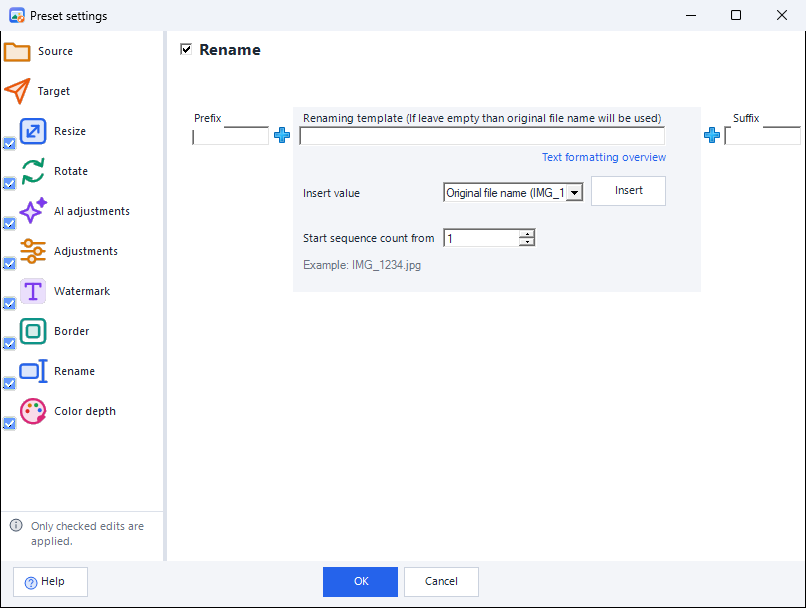
Tick Rename to give the edited photos new names. The line Example shows the result for a sample photo while you type.
Settings
- Prefix and Suffix – text before and after the name (e.g. web_).
- Rename template – if empty, the original file name is used. Insert data + Insert adds a value: original file name, folder name, counter, date taken, camera, lens, ISO…
- Counter – the first number of the counter.
Example
Template [date taken]_product-[counter] with the counter from 1 gives 2026-05-01_product-0001.jpg, 2026-05-01_product-0002.jpg… Text formatting overview explains the formats of dates and numbers.
Related topics
In the program, the Help button (main window and preset settings) and the F1 key in any window open the page for exactly the window – and the section of the settings – you are working in. Something missing? Write to us.