

Check the photos before the start
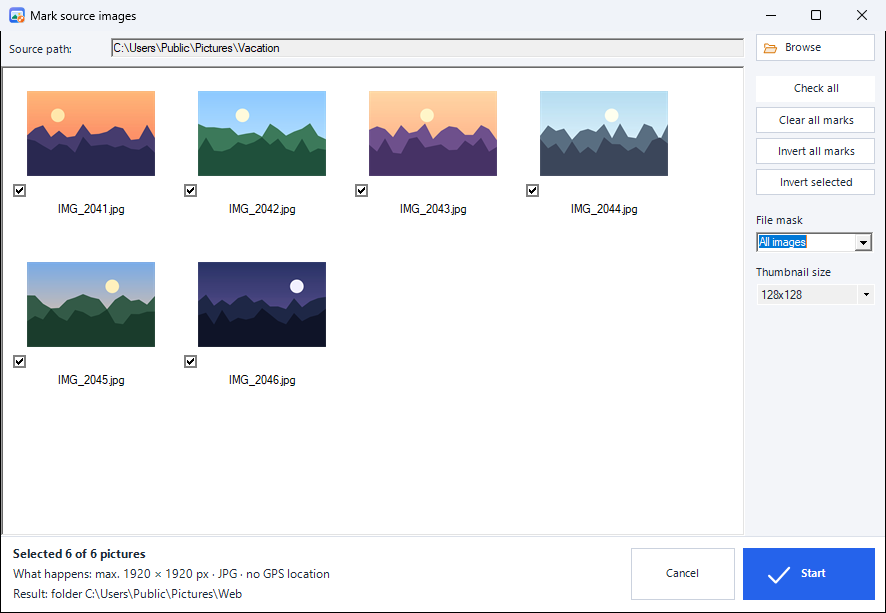
When Show preview window is on (section Source), the program shows thumbnails of the photos before the run. Only marked photos are edited.
Controls
- Source path and Browse – another folder.
- Check all, Clear all marks, Invert all marks, Invert selected.
- File mask and Thumbnail size (32 – 256 px).
- The bar at the bottom shows how many photos are selected, What happens (the summary of the preset) and Result (the target).
- Start begins the editing, Cancel closes the window without changes.
Related topics
In the program, the Help button (main window and preset settings) and the F1 key in any window open the page for exactly the window – and the section of the settings – you are working in. Something missing? Write to us.