


Free for everyday work, Pro for AI and automation
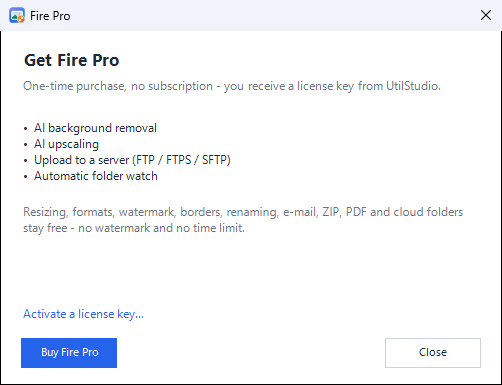
All common editing is free – resizing, formats, watermark, borders, renaming, e-mail, ZIP, PDF and cloud folders, with no watermark and no time limit. The Pro edition (called Fire Pro in the program) unlocks:
- AI background removal
- AI upscaling
- Upload to a server – FTP / FTPS / SFTP
- Automatic folder watch
30-day trial
On the first start the program unlocks Pro for 30 days by itself – no registration. After the trial it returns to the free edition; your presets stay, the Pro features in them are only locked. Pro features are marked (Pro) in the settings.
Buying and activation
A one-time purchase of 29 € incl. VAT, no subscription (price list). The Get Pro button in the main window opens the window shown above: Buy Fire Pro (or Buy in Microsoft Store in the Store version) and Activate a license key…. The licence is also available in Program settings and in the menu of the icon. Only the licence code, a hash of the device and the version are sent to the licence server – never photos, file names or addresses.
Related topics
In the program, the Help button (main window and preset settings) and the F1 key in any window open the page for exactly the window – and the section of the settings – you are working in. Something missing? Write to us.