


What happened to each photo
Every preset keeps its own log. It opens from the link on the card after a run, from the menu of the notification area icon (Log) or when a problem occurs. The log is kept after the program is closed.
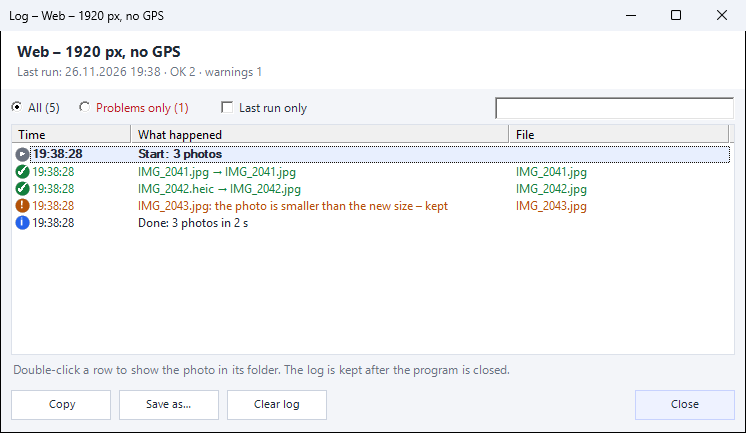
In the window
- The heading shows the last run with the numbers of OK photos, warnings and errors.
- All, Problems only, Last run only and a search box filter the rows.
- Double-click a row to show the photo in its folder.
- Copy, Save as… (text file for the support), Clear log.
Typical warnings
- The photo is smaller than the new size – kept: see Do not resize when original is less than the new one in Resize.
- A file that cannot be opened as an image – see the last option of the Target section; for HEIC or RAW see Supported formats.
Related topics
In the program, the Help button (main window and preset settings) and the F1 key in any window open the page for exactly the window – and the section of the settings – you are working in. Something missing? Write to us.